
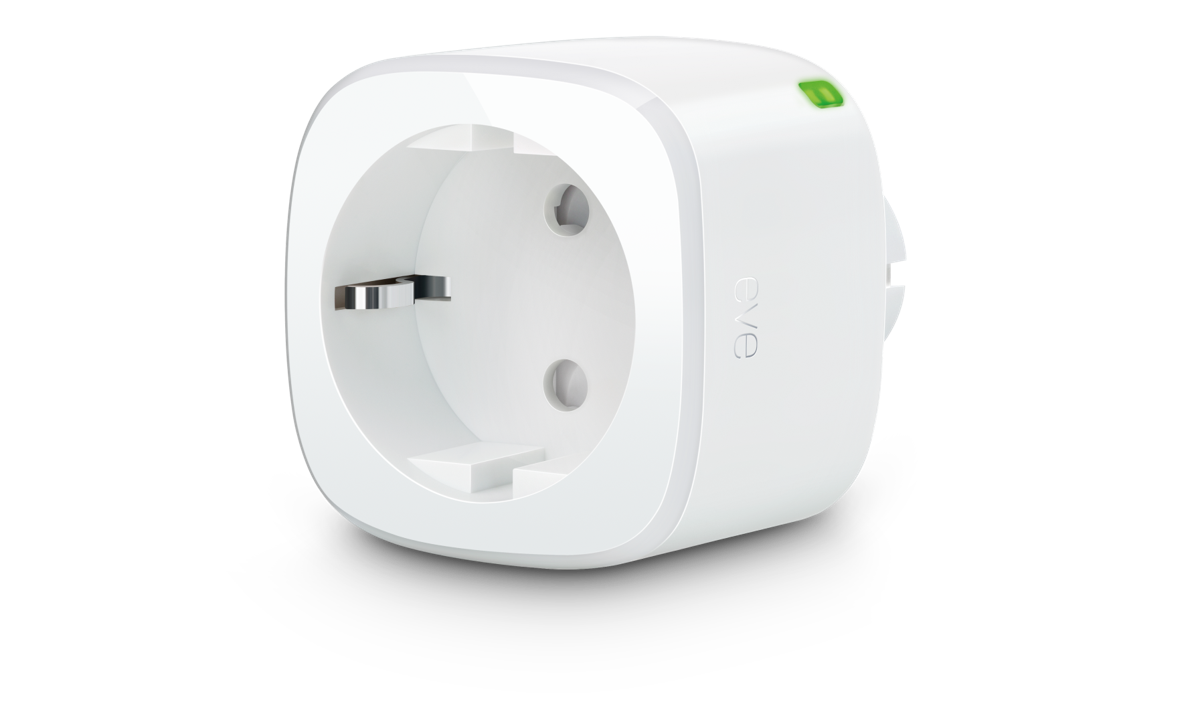
Eve Energy (Matter, EU)
Local switching over Matter and Thread
View on Amazon.de*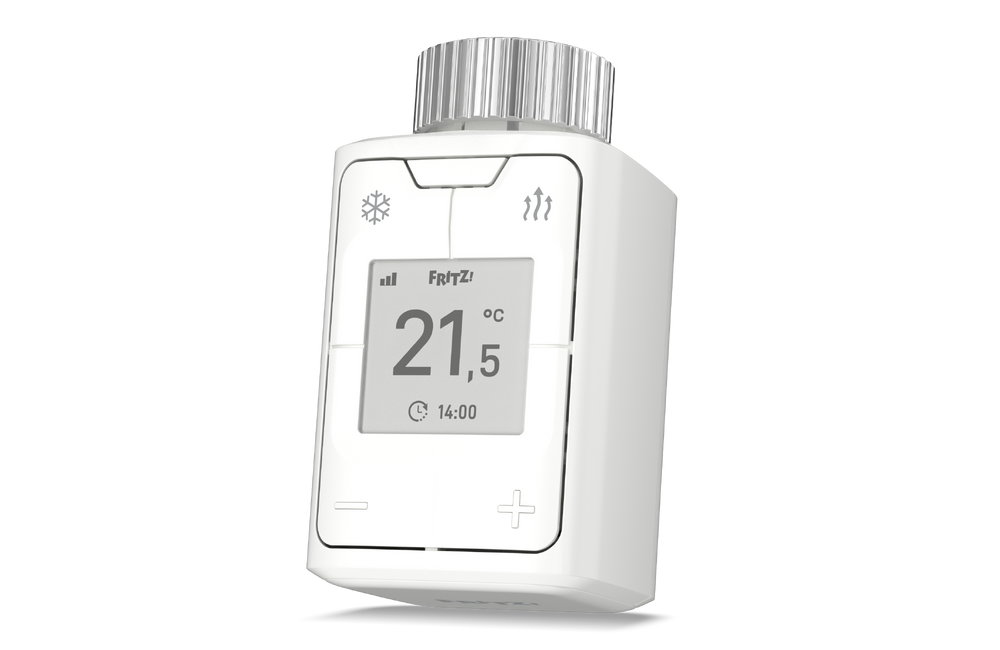
FRITZ!DECT 302
Control radiators by room and daily routine
View on Amazon.de*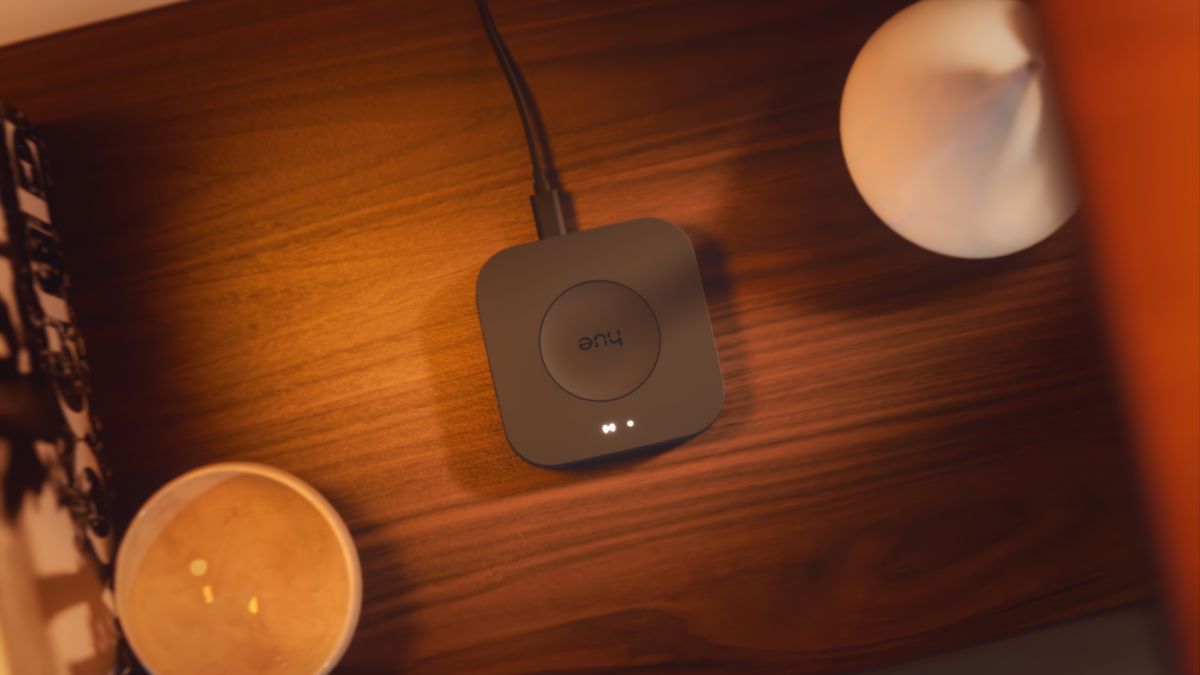
Philips Hue · Bridge Pro + 3 E27 + Smart Button
Operate several lights and a button together
View on Amazon.de*
1. What really makes a home intelligent
A smart home makes sense when it reliably solves a recurring problem. A light comes on dimly when you walk down the hallway at night. The bathroom is comfortably warm when you normally use it. A leak beneath the sink is detected early. What matters is the right response at the right moment, including an easy way to take control yourself.
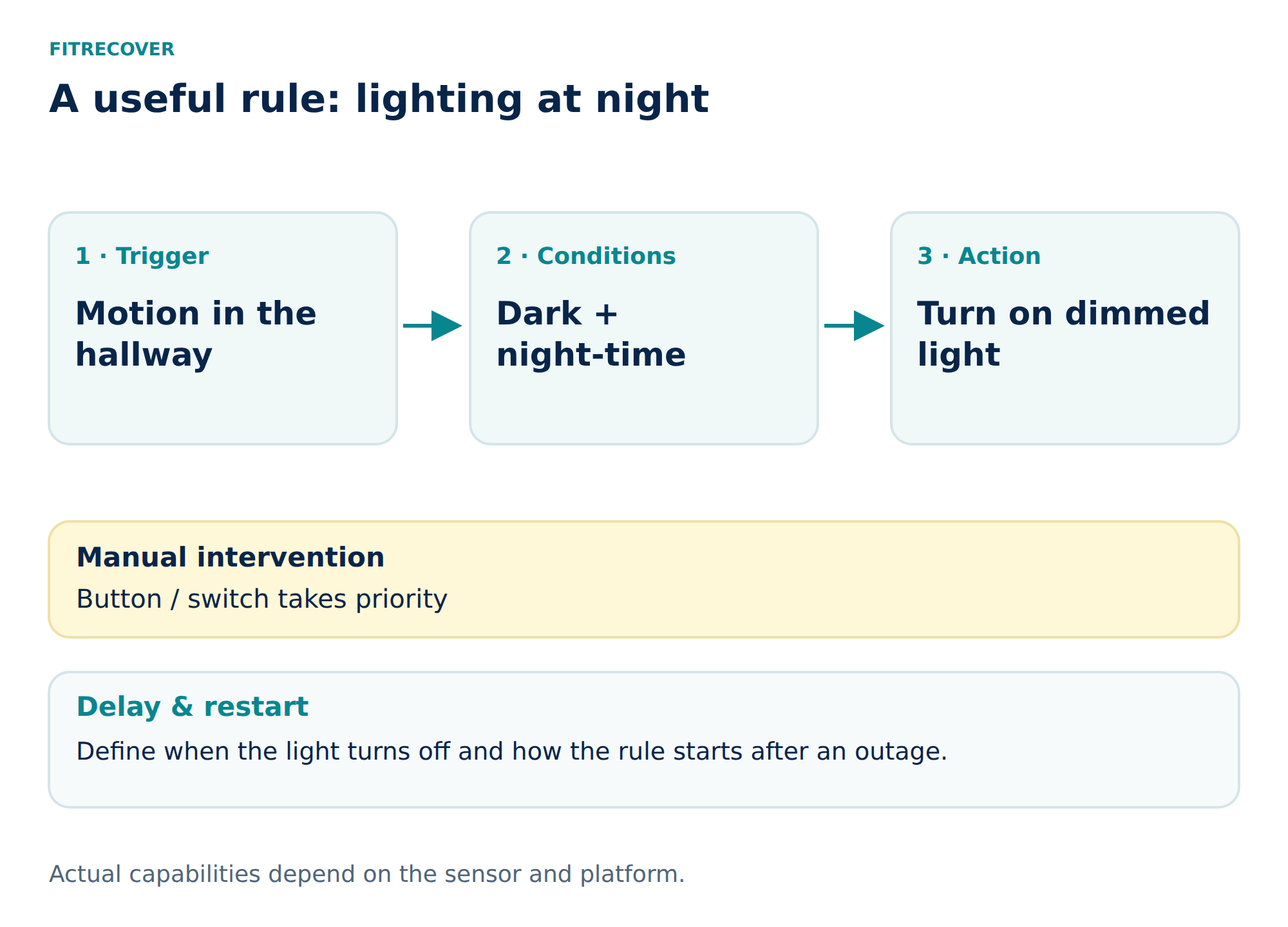
Remote control and automation are different stages. Replacing ten light switches with ten app menus initially gives you a different interface. An automation connects a trigger, conditions and an action: movement is detected; it is dark and night-time; the hallway light comes on at a low level. The real value lies in a carefully designed rule, rather than the number of devices purchased.
This guide focuses on Germany and retrofit solutions. The translations retain that market context: a German Schuko product or German legal rule does not automatically apply in every English-, French- or Spanish-speaking country. The recommendations combine manufacturer documentation with independent evidence; they are not our own hands-on test.
Eight building blocks by purpose
A selection by task, not a ranking. These products are alternatives and building blocks; they do not all need to be purchased together.
| Device | Purpose | Connection / controller | Amazon.de |
|---|---|---|---|
| TP-Link Tapo P110M | Switch a socket and monitor consumption | Wi-Fi; Matter controller for Matter use | View on Amazon.de* |
| Eve Energy (Matter, EU) | Local switching over Matter and Thread | Matter controller + Thread Border Router | View on Amazon.de* |
| FRITZ!DECT 302 | Control radiators by room and daily routine | DECT ULE; compatible FRITZ!Box | View on Amazon.de* |
| Aqara Hub M3 | Connect Aqara sensors and selected Matter devices | Aqara Zigbee, Matter controller and Thread Border Router | View on Amazon.de* |
| Aqara Water Leak Sensor | Detect water at a vulnerable location | Zigbee; compatible Aqara hub | View on Amazon.de* |
| Philips Hue · Bridge Pro + 3 E27 + Smart Button | Operate several lights and a button together | Hue Zigbee; Bridge Pro in the linked set | View on Amazon.de* |
| Eve Motion (Matter) | Use movement to trigger lighting | Matter over Thread; controller + Border Router | View on Amazon.de* |
| Nuki Smart Lock Pro · 5 | Motorise the locking of an existing door | Bluetooth, Wi-Fi and Matter; check each function | View on Amazon.de* |
2. Where does the technology earn its place?
Four types of benefit deserve separate consideration. Convenience means fewer repetitive tasks. Energy efficiency occurs only when unnecessary consumption actually falls. Early warning can shorten the time between a problem occurring and being discovered. Accessibility means that people without a smartphone or with limited mobility can also operate their home easily.
These benefits have different measures of success. A water alert does not need to pay for itself through monthly electricity savings. An attractive lighting effect is no proof of energy efficiency. Automatic temperature control can be a convenience improvement even if it saves little money. Selling everything under the heading of “savings” obscures the real buying decision.
For FitRecover, quality of life is the right starting point: fewer unnecessary interruptions, dependable routines and surroundings that support movement, recovery and everyday life. That does not imply a health claim. A lighting schedule does not treat a sleep disorder; a room sensor does not remedy a building defect. Good technology supports sensible habits.
3. The architecture: five layers rather than one logo
A working system consists of devices, connectivity, control, rules and ways to operate it. A sensor detects something. Wi-Fi, Thread, Zigbee or DECT carries the data. A hub executes the rule. Buttons, an app or voice control allow you to intervene. Every purchase should have a clear role: which layer does it provide, and what is still missing?
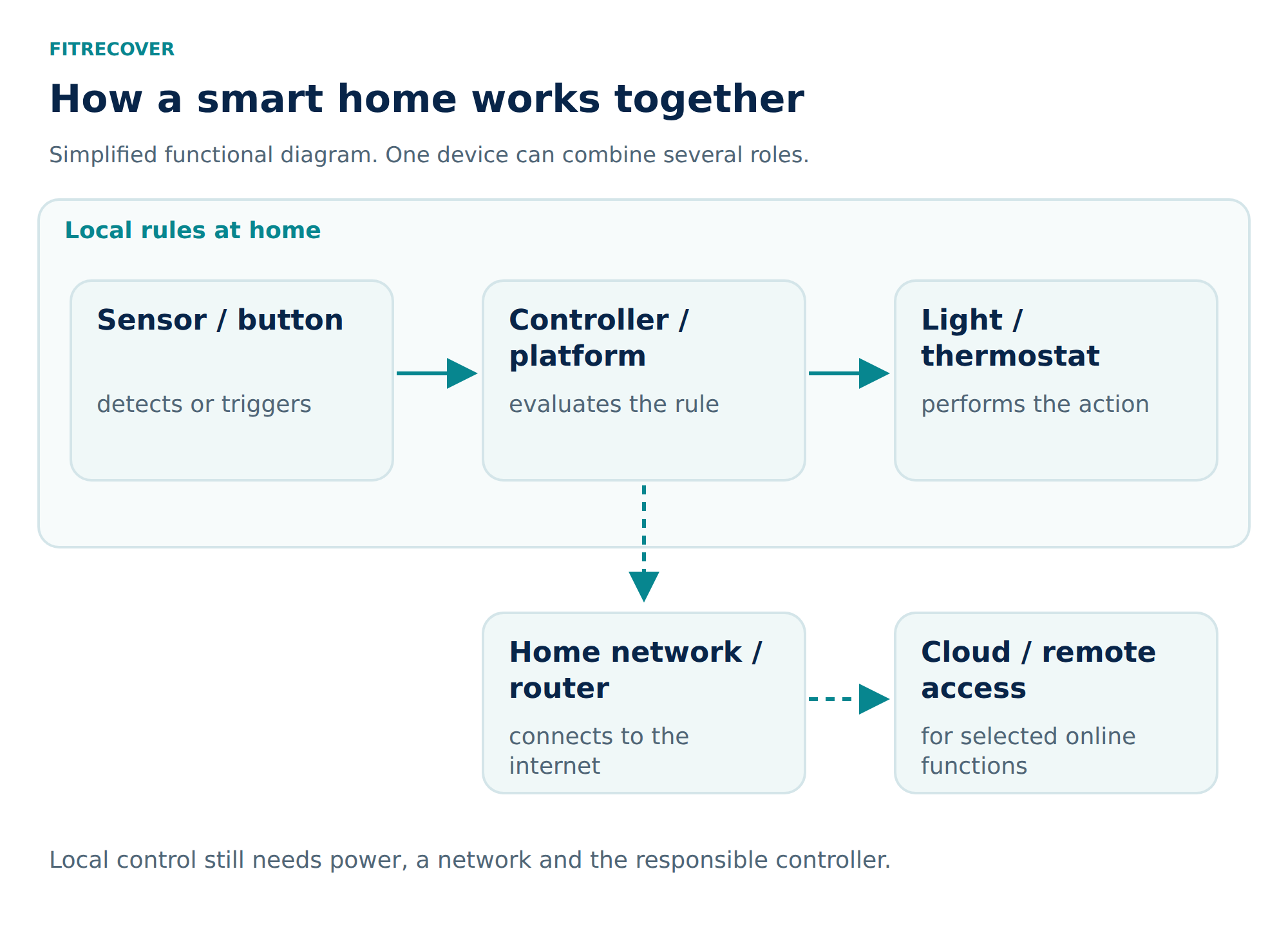
Manages and controls devices within a platform.
Connects a Thread network to the normal IP home network.
Makes supported devices from another system available to a platform.
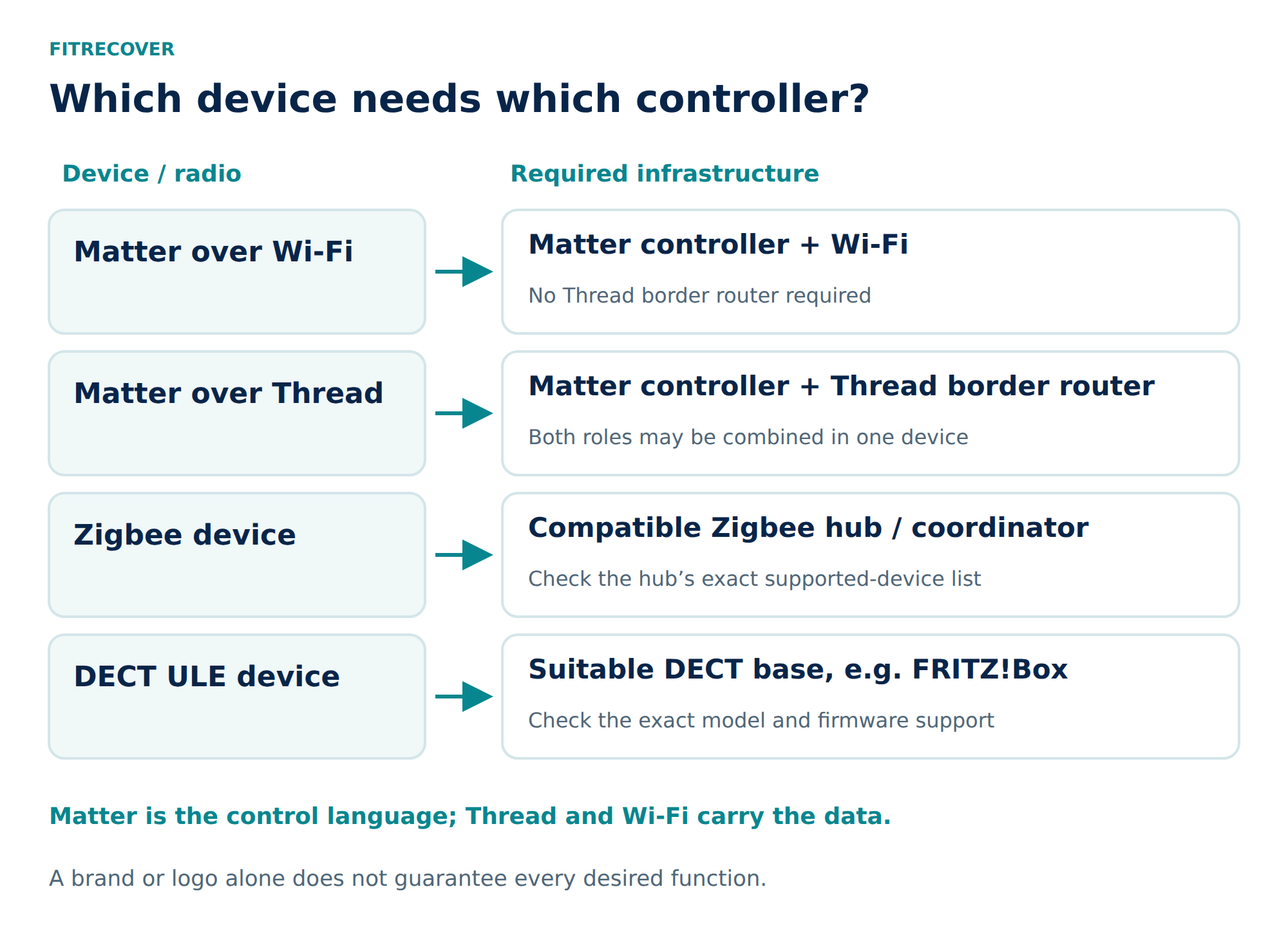
One physical device can combine several of these roles. That does not mean every “hub” can do everything. A smartphone does not automatically replace an always-available controller either. Before buying, establish a specific connection chain: exact device → wireless network → responsible controller → required function. [1–3]
A clear comparison of the standards
| Term | Purpose | Practical limitation |
|---|---|---|
| Matter | A shared control language over IP, for example via Wi-Fi, Ethernet or Thread. | Not a wireless standard itself; the platform and firmware also determine which functions are available. |
| Thread | A low-power IP wireless network, used for sensors among other devices. | Needs a border router for connectivity; an older Thread device does not necessarily support Matter. |
| Wi-Fi | A connection to the home network, often for mains-powered devices. | Wi-Fi alone tells you nothing about cloud requirements or local rules. |
| Zigbee | A wireless network with its own device communication and coordinator. | Check the devices and features supported by the hub. |
| DECT ULE | A low-power wireless connection, for example in the FRITZ! smart home. | Requires a suitable base station and specific device support. |
| KNX | Professional building automation, with wired and wireless options. | Planning and commissioning constitute a building project in their own right. |
In a rented apartment, an existing system is often the most economical starting point. During a major renovation, however, it is worth planning wiring, circuits, shading and local controls early. Long-term maintainability can matter more than the most attractive app. [4–6]
What Matter improves, and what remains unresolved
Matter can make basic control across different brands easier. It does not prevent detailed energy analysis or particular device settings from being available only in a manufacturer's app. Multi-Admin allows a device to join several platforms; this does not automatically turn their rules into shared logic. Two independent heating rules for the same room can work against each other. [7]
For example, a FRITZ!Box 5690 Pro should not simply be planned as a universal Matter controller or Thread Border Router. FRITZ! describes a Matter bridge here. You must specifically check whether the installed FRITZ!OS version makes it available for the intended use. This does not turn the DECT thermostats themselves into Thread devices. [8]
Local control and the cloud
“Local” means that a particular function can run within the home. That is especially valuable for lighting, temperature and alert rules. Remote access, voice services and push notifications may still need the internet and external services. Conversely, a cloud product can be acceptable for a non-critical task if its dependencies and ongoing costs have been chosen knowingly.
Home Assistant is one possible local integration platform for people willing to take on more control and maintenance. Home Assistant Green, however, has no built-in Zigbee/Thread radio hardware. Those networks require a suitable adapter or supported network hub. A platform like this is a tool for clearly planned requirements, rather than an essential purchase for a single light. [9]
4. Sensing and control: realistic expectations for heating
The greatest opportunity is where heating is currently being wasted: a study that is always too warm, changing occupancy or frequently forgotten manual adjustments. A thermostat can follow a weekly schedule and control several radiators in one room together. It does not improve insulation, radiator sizing or the heating system's basic settings.
With radiators, the sensor should capture a representative room temperature. A reading taken directly at the valve, behind curtains or beneath a cover may differ from the occupied part of the room. A fixed offset only helps when the difference is reasonably consistent. Under highly variable conditions, a compatible external sensor in a sensible position may be more suitable. [10]
A good window rule reduces the demand for heat during ventilation and restores the intended schedule afterwards. Battery devices often communicate at intervals: a contact sensor does not necessarily produce an immediate response. According to FRITZ! documentation, its contact-sensor connection can take approximately three minutes to produce a response from the radiator control. For particularly time-sensitive routines, that delay is part of the planning. [11]
What independent research actually shows
A British randomised study of a particular thermostat and consumption-feedback system found approximately 5% lower gas consumption in its main analysis, with substantial statistical uncertainty. Another controlled study of 68 English homes found an average 3.5% reduction in gas consumption with zonal control; consumption increased in some homes. Neither result is a forecast for a German apartment. [12, 13]
The mechanism matters: people who already heat their homes appropriately and consistently have less additional scope to save. Keeping more rooms warm for longer after installation can offset an efficiency gain. Ordinary programmable thermostats can also follow schedules; the internet connection itself does not create the saving. [14]
Underfloor heating and heat pumps need a different approach. Rooms with a slow thermal response do not behave like a single radiator. Large daily temperature changes are not a universally good strategy. Before installing elaborate room-by-room automation, discuss the system controls, hydraulic requirements and suitable operating strategy with the responsible specialist.
5. Lighting, plugs and shading
Lighting is a good starting point because both benefits and problems are quickly apparent. A scene button can set several lights to “Reading”, “Evening” or “Off” together. In a hallway, a rule combining movement, darkness and time makes more sense than a light that switches on with every daytime movement. The basic function you need must remain accessible without an app.
Smart bulbs need their power supply to remain on. Switching off a wall switch can interrupt wireless control. If you want to switch several conventional lights together instead, you can plan a suitable permanently installed actuator. This is a different installation task from screwing in a bulb and belongs in qualified hands.
For motion sensors, the switch-off delay matters. A light can turn off quickly after someone walks through; that would be annoying while reading. PIR sensors respond to movement and can miss a person who is sitting still. Radar sensors can offer different possibilities, but they also need careful positioning and coverage limits. “Presence” is not an automatically error-free state.
Shading can reduce glare and, in suitable situations, limit solar heat gain. Useful rules consider the sun's position, room temperature and occupancy. External blinds need appropriate wind protection; escape routes and manual controls must remain available. The motor, end positions and electrical installation determine which actuator will fit. A timer alone is not a complete weather-control system.
A smart plug switches electrical power. It can only usefully start a desk fan if the fan resumes the desired operating state when power returns. It does not replace a heater's temperature control and is not a universal power regulator. The permitted load type, inrush current and manufacturer's approval matter more than the largest wattage on the box. Devices that need continuous power do not belong in a blanket “Everything off” scene.
The most useful first application for a metering plug is often a temporary measurement. Observe a typical working day and weekend day, estimate annual consumption, then decide whether permanent switching makes sense. A device that already uses very little energy may not need additional hardware drawing power continuously.
6. Sensors: information needs to lead to action
A water sensor has a particularly clear purpose: place it where escaping water is likely to arrive early, while keeping it accessible for cleaning and battery replacement. An alarm needs an appropriate response. If you silence your phone at night, do not rely solely on push notifications. A local siren must be explicitly configured and tested within the chosen system.
A sensor does not close a pipe. Automatic shut-off adds an actuator, power supply, suitable valve and a tested rule. This also increases responsibility: false alarms can shut off the water, and manual operation must be clear if something fails. For many apartments, an understandable warning procedure is the appropriate first step.
Air quality: interpreting CO₂, humidity and temperature
A CO₂ sensor can help identify when ventilation is needed. It does not measure carbon monoxide or every airborne pollutant. The German Environment Agency's guide values distinguish between below 1,000 ppm, 1,000–2,000 ppm and above 2,000 ppm in hygiene terms; these are not sudden poisoning thresholds. A reading that remains elevated for a period is often more useful for a ventilation reminder than every brief spike. [15]
Surface temperature also matters for relative humidity. A sensor in the middle of a room may look unremarkable while conditions are already unfavourable in a cold external-wall corner. A blanket “40–60% is always safe” is therefore not an adequate mould-prevention strategy. Building condition, use and ventilation need to be considered together. [16]
Minimum running times and hysteresis are useful for automatic fans: switch on only after a sustained rise, and switch off only after the reading has fallen sufficiently. Otherwise, the system repeatedly switches back and forth at the threshold. The precise limit needs to suit the room and device. An ordinary smart-home sensor does not replace a suitable smoke or CO alarm.
7. Doors, cameras and a proportionate sense of security
An electronic door-lock motor can enable time-limited access and easier operation. That requires carefully managed permissions, a suitable door and dependable emergency access. The mechanical quality of the door, fittings and cylinder remains important. A smartphone should not become an irreplaceable key.
If a key remains inserted on the inside, a suitable cylinder emergency function is essential: access from outside must still work as intended. Check the specific compatibility and test first with the door open. A low-battery warning only helps if someone responds to it. [17]
A camera answers different questions from a door contact. Before recording images, establish whether a contact sensor would already be enough. For Germany, the data-protection regulator advises that neighbouring properties and public areas should generally not be captured. Data-protection issues can also arise without recording; audio recording is particularly sensitive. [18]
A general smart home is not automatically a certified intruder alarm. Insurance-related protection or critical emergency-call functions have requirements that need to be clarified separately. For everyday applications, a clearly defined alert is more helpful than a sweeping promise of security.
8. Does it pay? Two transparent worked examples
Total costs include the purchase, installation where necessary, electricity, batteries, subscriptions and replacements. Setup and maintenance also take time. The benefits should be considered separately as energy savings, convenience and possible damage limitation. For a financial comparison, only costs that can actually be avoided count.
avoided variable energy costs − additional running costs
Simple payback
purchase and installation ÷ positive annual net benefit
Example A: heating control over five years
Illustrative assumptions only, not market prices or a savings promise: a €320 purchase, €1,000 in annual heating costs that can be influenced, and €15 in additional running costs per year. The change in consumption is deliberately left open across three scenarios.
| Assumed reduction | Gross / year | Net / year | Balance after 5 years | Payback |
|---|---|---|---|---|
| 5% | €50 | €35 | −€145 | 9.1 years |
| 10% | €100 | €85 | +€105 | 3.8 years |
| 15% | €150 | €135 | +€355 | 2.4 years |
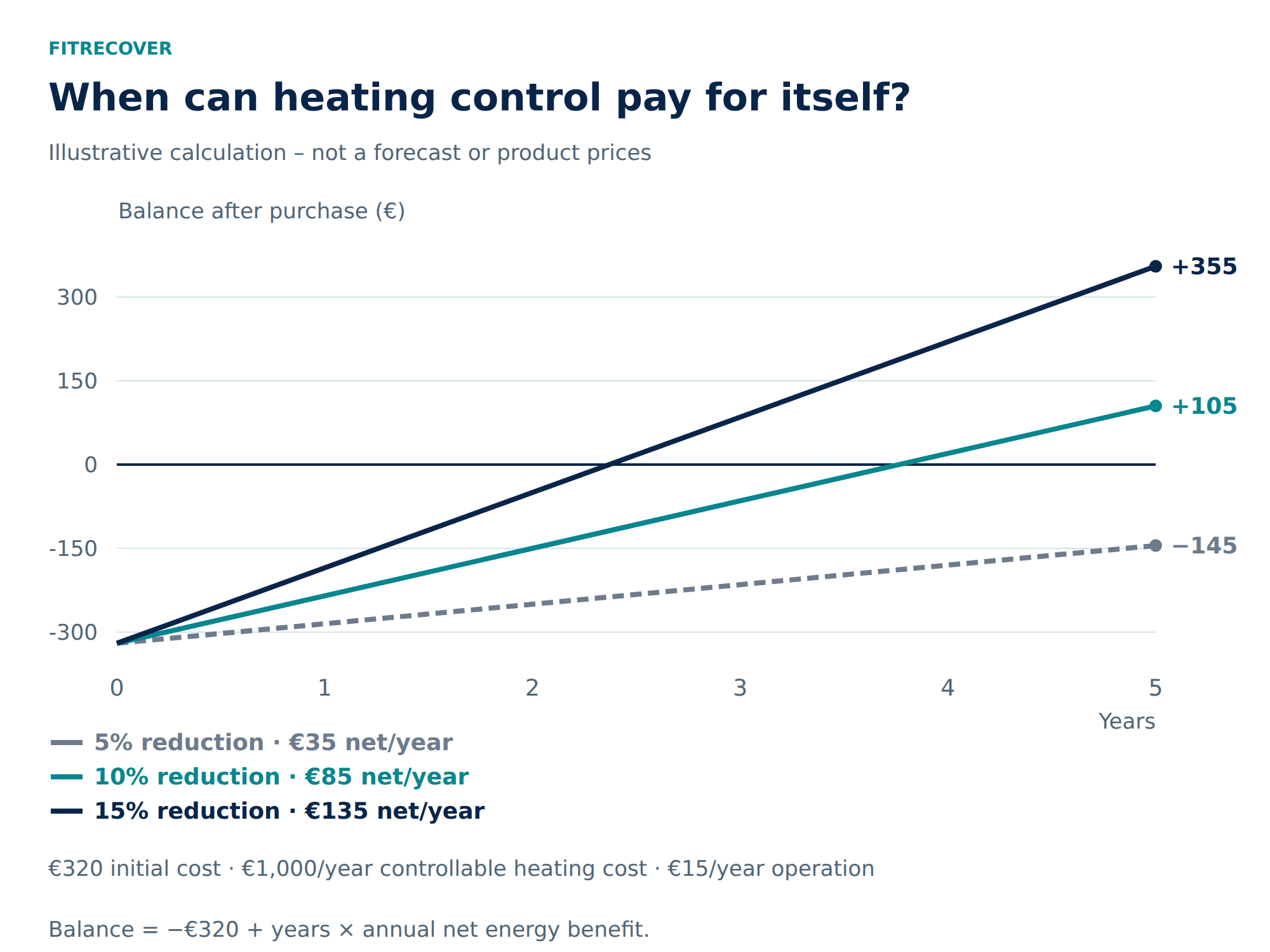
The five-year balance is five times the annual net benefit minus €320. This simple model excludes financing, replacement devices, residual value and price changes. The 15% row illustrates a favourable scenario; the studies cited do not establish it as a general expected outcome.
In centrally heated German rental apartments, the total bill also does not automatically fall in proportion to your own measured consumption. Under the usual framework of the German Heating Costs Ordinance, 50–70% is allocated by consumption, with the remainder allocated differently, for example by floor area. Exceptions and the specific bill need to be considered. [19]
Example B: when a metering plug saves more than it consumes
Suppose an appliance draws 10 W when unused and can be switched off for 20 hours a day. That avoids 73 kWh a year. If the additional plug in this model continuously draws 1 W, it uses 8.76 kWh. The result is 64.24 kWh, or €22.48 at an assumed €0.35/kWh. A hypothetical €20 plug would pay for itself in about 0.9 years.
If the avoided idle load were only 1 W, however, the saving before the plug's own consumption would be 7.3 kWh, resulting in 1.46 kWh of additional annual consumption after accounting for it. The 1 W own-consumption figure is a model assumption, not a specification of the recommended products. An additional continuously running 3 W controller would require another 26.28 kWh per year. Existing routers should only be counted for their additional consumption.
The practical lesson is simple: measure first, then automate. Lighting convenience or easier access can reasonably cost money if you want them. They should simply not be presented as inevitable electricity-saving measures.
9. Privacy and maintenance are part of the purchase
Together, temperatures, occupancy and door openings reveal a detailed picture of a household. Ask what data the particular device generates, where it is processed, who has access and how long it is kept. A sensor without a camera can collect substantially less personal information for the same task.
A sound starting point is to install updates, use your own strong passwords, enable two-factor authentication where available and minimise unnecessary remote access. The router and controller also need maintenance. Local processing reduces certain dependencies but replaces neither secure configuration nor backups. [20]
An isolated guest network is not a universal solution. Matter needs local reachability, including IPv6 and service discovery. Strict separation can prevent setup or control. If you use separate network segments, the necessary communication must be deliberately allowed; for beginners, a documented, supported configuration makes more sense than an unclear combination of filters and exceptions. [3]
People-related maintenance matters too: remove former users' access, limit guest permissions by time and discuss with all residents what is logged. A short “What to do if…” note can be more valuable than an elaborate dashboard. Credentials and recovery codes belong in a suitable protected location.
10. Three suitable starting points instead of one shopping list for everyone
A rented apartment with an existing FRITZ!Box
Start with the problem room: perhaps a radiator that regularly stays warm unnecessarily. Check the valves and DECT support, create a realistic schedule and observe the result. A single metering plug can separately investigate an appliance with suspicious consumption. Additional bridges only become worthwhile when another specific task requires them.
A family apartment with different daily routines
Understandable scenes and buttons take priority here. “Evening” changes only selected lights. “Away” takes effect only when nobody remains at home; one person's phone is not enough to establish that. A water-warning procedure and dim hallway lighting at night can offer an immediate benefit. Children and guests still need ordinary ways to operate things.
An owner-occupied home undergoing renovation or new construction
Plan before plastering: network connections, suitable circuits, shading, heating control, space in the distribution board and documentation. A professionally planned KNX or other building system can suit the long-term infrastructure, with wireless devices as a supplement. Service life, maintainability and available specialist contractors are part of the investment.
Plug-in devices and removable sensors need to be distinguished from building alterations. Changes to fixed electrical installations, such as relays behind switches, belong with a suitable registered electrical installation company. In a rented apartment, clarify any required permissions before making structural changes. [21]
11. Four weeks to a dependable small system
- Week 1 – The problem and starting point: Write down three frustrating everyday situations. Check existing routers, lights, valves and smartphones. Choose one task and define success in advance: for example, fewer forgotten switching actions rather than an arbitrary percentage.
- Week 2 – A small trial: One room or one appliance. Buy only the infrastructure needed for it. All residents try the solution; a normal button or manual control remains accessible.
- Week 3 – Rules and failures: Check timing, brightness, switch-off delay and manual override. Disconnect the internet, restart the controller and test the alert procedures. A fault must not trigger an incomprehensible chain reaction.
- Week 4 – The decision: Compare measurements, false alarms and operating effort. Expand only if the small trial reliably helps. Remove unsuitable rules; more devices are no substitute for sound basic logic.
Six rules that can work in everyday life
| Trigger | Condition | Action and fallback |
|---|---|---|
| Movement in the hallway | Dark and night-time | Dimmed light; a button can override the rule. |
| Window opened | Heating active | Reduce heat; resume the schedule after closing and allow for wireless delays. |
| Water detected | Sensor reachable | Suitable local alarm plus notification; agree on the response beforehand. |
| CO₂ remains elevated | Room in use | Ventilation reminder; do not confuse it with a smoke/CO alarm. |
| Household away | Nobody remains at home | Only selected appliances off; important continuously running devices retain power. |
| Controller restarts | Power/network restored | Check states; no uncontrolled repetition of critical actions. |
These rules are editorial examples. Their precise implementation depends on the sensors, platform and device. Every important automation needs one responsible controller within the system, an understandable manual override and a defined state after restarting.
12. Frequently asked questions
Do I need a voice assistant?
No. Buttons, schedules and local automations can be enough. Voice is an additional control method and should complement the other options.
Can I use everything without the internet?
Only functions explicitly executed locally. Power, the wireless network and the responsible controller must still work. Remote access and external notifications generally require a working connection.
Is a single ecosystem better?
It can simplify setup for a small initial system. As you expand, however, specific device support, long-term maintenance and transferable basic functions matter. A deliberate mix can make sense if responsibilities remain clear.
How many devices do I need?
As few as will reliably solve the task. A well-positioned water sensor or a good heating schedule can achieve more than many decorative automations.
What should I avoid automating initially?
Devices whose shutdown or automatic restart could be problematic, and critical functions without a clear fallback. That includes blanket shutdowns of refrigeration, networking equipment or required medical devices.
The best system is one that reliably takes work off your hands
An intelligent home does not need to know every socket. It needs a few suitable devices, understandable rules and people who can operate it without an app. Begin with a measurable or clearly noticeable improvement, calculate honestly and expand only after a dependable small success.
Sources and further reading
Research on standards and devices: 25 October 2026. Manufacturer documentation supports the stated functions; independent research supports the study findings cited. The selection is an editorial analysis, not our own laboratory test.
- Connectivity Standards Alliance — Matter FAQ
- Thread Group — Matter & Thread FAQ
- Home Assistant — Matter: requirements, features and network troubleshooting
- Connectivity Standards Alliance — Zigbee
- FRITZ! — Heizkörperregler und DECT ULE
- KNX Association — KNX RF wireless solutions
- Connectivity Standards Alliance — Matter multi-admin
- FRITZ! — Matter mit FRITZ!
- Home Assistant — Green hardware and requirements
- FRITZ! — Temperaturmessung und Offset
- FRITZ! — Fenster-auf-Erkennung und Übertragungsintervalle
- UK DESNZ / Ipsos et al. — SENS SEN-ST Trial Level Evaluation, June 2023, executive findings and energy analysis
- Lomas et al. (2022) — Energy savings from domestic zonal heating controls: Robust evidence from a controlled field trial. Energy and Buildings 254, 111572
- Umweltbundesamt — Richtiges Heizen schützt das Klima und den Geldbeutel
- Umweltbundesamt — Hygienic guide values: carbon dioxide, July 2022
- Verbraucherzentrale — Heizen und Lüften: So geht es richtig
- Nuki Support — Cylinder emergency function
- LDI Nordrhein-Westfalen — Videoüberwachung im privaten Bereich
- Heizkostenverordnung — § 7: Verteilung der Kosten der Versorgung mit Wärme
- Bundesamt für Sicherheit in der Informationstechnik — Smart Home
- Niederspannungsanschlussverordnung — § 13: Elektrische Anlage
- TP-Link — Tapo P110M
- Eve — Energy, Matter and hub requirements
- FRITZ! — FRITZ!DECT 302, model 20003070
- Aqara — Hub M3
- Aqara — Water Leak Sensor
- Philips Hue — 3 E27 bulbs + Smart Button + Bridge Pro, product 8720169374522
- Eve — Motion, Matter and Thread
- Nuki — Smart Lock Pro, fifth generation: official product specifications
Product photographs: Eve Systems, AVM / FRITZ!, Signify / Philips Hue and Nuki.